Quick Answer: Google Maps optimisation in Stockport means making your Google Business Profile as complete, accurate, and active as possible so your business appears prominently when local customers search for what you offer. For Stockport small businesses, this is one of the highest-return local marketing activities available — and most businesses are doing it wrong.
Key Takeaways
- Google Maps optimisation Stockport starts with a fully claimed and verified Google Business Profile — without this, nothing else works.
- Your business name, address, and phone number (NAP) must be identical across every online directory and your website.
- Choosing the right primary and secondary categories has a direct impact on which searches trigger your listing.
- Customer reviews — and your responses to them — are a significant ranking signal in local search.
- Regular posts, updated photos, and accurate opening hours all contribute to how Google ranks your profile.
- Local citations from Stockport-relevant directories strengthen your authority in the area.
- A well-optimised Google Maps profile works alongside your website, not instead of it.
- Businesses in competitive Stockport areas like Heaton Moor, Cheadle, and Edgeley benefit from hyper-local content strategies.
What Is Google Maps Optimisation and Why Does It Matter for Stockport Businesses?
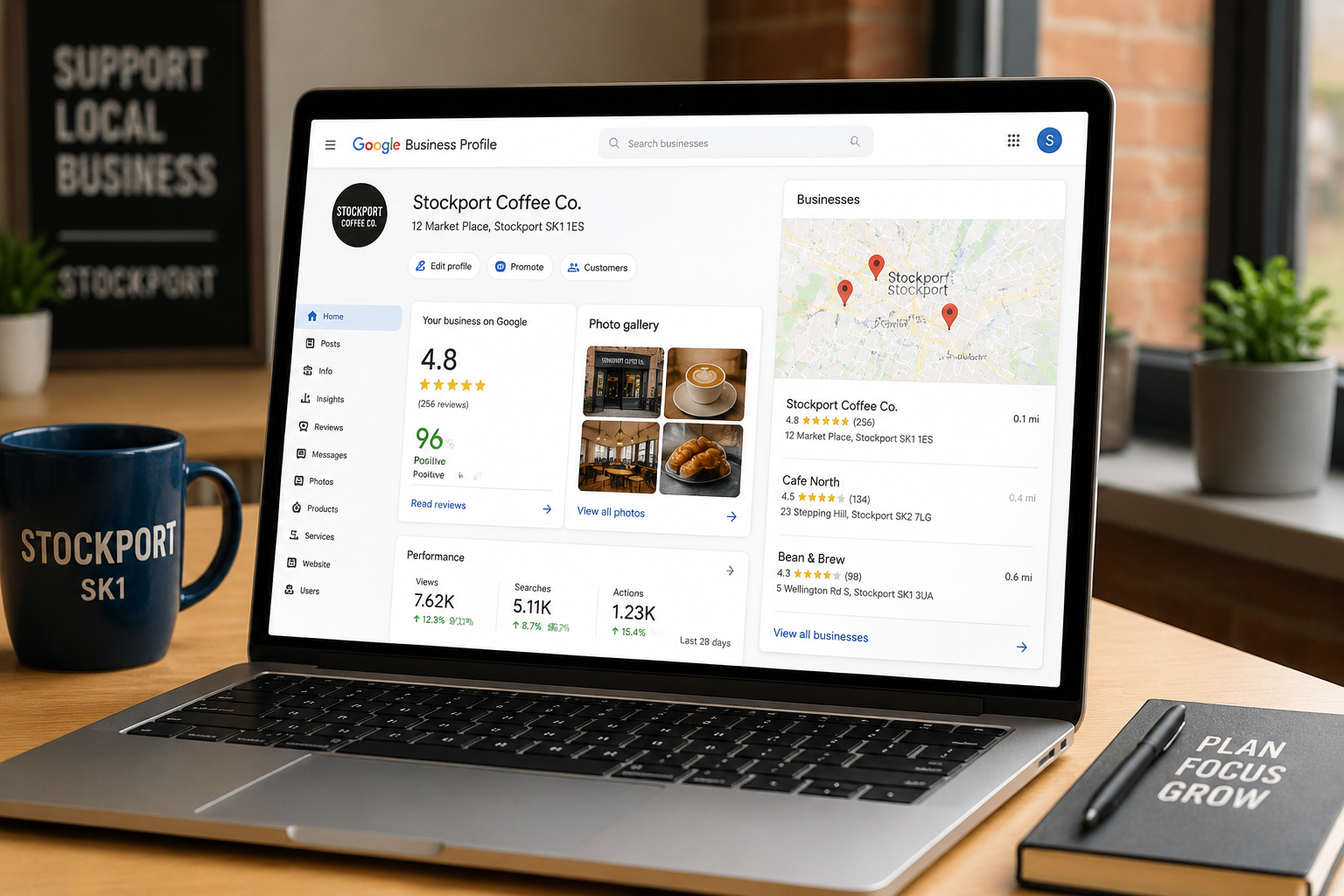
Google Maps optimisation is the process of improving your Google Business Profile so it ranks higher in local search results and the “map pack” — the three business listings that appear beneath the map on Google. For Stockport small business owners, this directly affects how many new customers find you.
When someone in Stockport searches “plumber near me” or “best coffee shop Stockport,” Google shows a map with three local results before any organic website listings. Appearing in that map pack is often more valuable than ranking on page one of standard search results. The businesses in those top three spots get the majority of clicks, calls, and footfall.
The good news: most Stockport businesses have under-optimised profiles. That gap is your opportunity.
For a broader view of how local search fits into your overall strategy, the top strategies for local SEO ranking are worth exploring alongside this guide.
How Do You Set Up Google Maps Optimisation for a Stockport Business?
Start by claiming and verifying your Google Business Profile. This is non-negotiable. Without verification, Google will not rank your listing with any confidence.
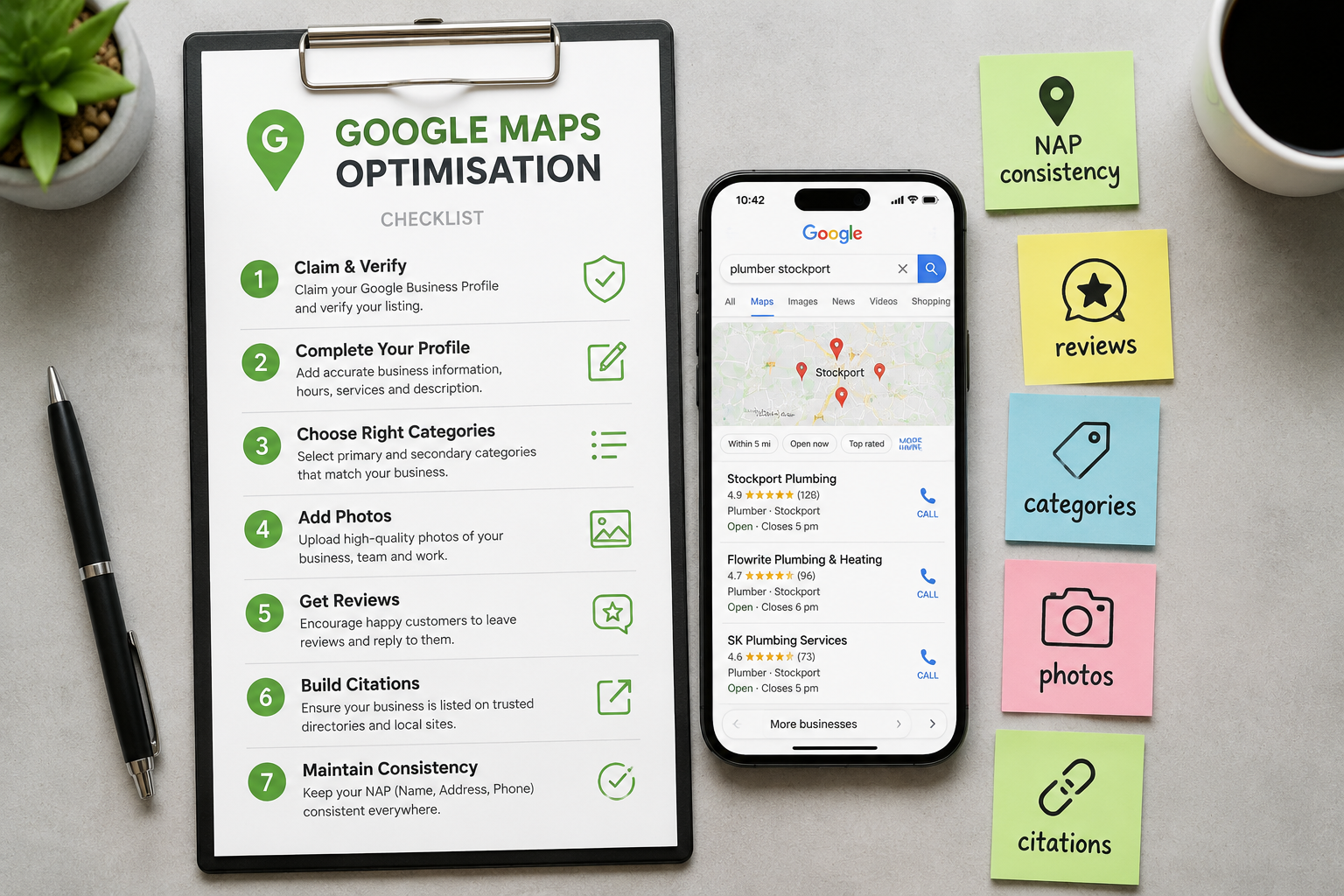
Step-by-step setup:
- Go to Google Business Profile and search for your business name.
- If it exists, claim it. If not, create a new listing.
- Complete the verification process — usually by postcard, phone, or video.
- Fill in every available field: business name, address, phone, website, opening hours, and description.
- Select your primary category carefully (more on this below).
- Add at least 10 high-quality photos from day one.
Common mistake: Many Stockport businesses verify their profile and then leave it untouched. Google rewards active profiles. A listing that hasn’t been updated in six months signals neglect — to both Google and potential customers.
Which Categories Should Stockport Businesses Choose on Google Maps?
Your primary category is the single most important field in your Google Business Profile. It tells Google what your business does and determines which searches you’re eligible to appear in.
How to choose well:
- Be specific rather than broad. “Italian Restaurant” outperforms “Restaurant” for relevant searches.
- Use Google’s own category list — you cannot create custom categories.
- Add secondary categories to cover additional services, but don’t pad the list with irrelevant options.
- Check what categories your top-ranking Stockport competitors use. This is a reliable benchmark.
Decision rule: Choose your primary category based on your most profitable service, not your broadest one. Secondary categories can cover the rest.
How Do Reviews Affect Google Maps Optimisation in Stockport?
Reviews are one of the three core ranking factors in local search, alongside relevance and proximity. More reviews, higher ratings, and recent activity all contribute to better visibility in Stockport local searches.
What actually moves the needle:
- Volume: More reviews signal trust and activity to Google.
- Recency: A business with 50 reviews from the last six months outperforms one with 200 reviews from three years ago.
- Responses: Replying to every review — positive and negative — shows Google and customers that the business is engaged.
- Keywords in reviews: When customers naturally mention your service and location in their review text, it reinforces relevance signals.
How to get more reviews without being pushy:
- Ask at the right moment — just after a successful job or positive interaction.
- Send a follow-up message with a direct link to your Google review page.
- Add a QR code to receipts, business cards, or your premises.
For businesses focused on building customer trust through their online presence, reviews are the most visible proof point available.
What Role Does NAP Consistency Play in Google Maps Optimisation Stockport?
NAP stands for Name, Address, and Phone number. Consistency across every online mention of your business is a foundational requirement for local SEO and Google Maps ranking.
If your business is listed as “iindigo” on Google but “iindigo Ltd” on Yell.com, and your address uses “SK4” on one platform and “Stockport” on another, Google struggles to confirm your business details with confidence. That uncertainty hurts your ranking.
Where NAP consistency matters most:
| Platform | Priority |
|---|---|
| Google Business Profile | Critical |
| Your own website | Critical |
| Bing Places | High |
| Yell.com | High |
| Yelp UK | Medium |
| Facebook Business | Medium |
| Local Stockport directories | Medium |
Quick audit: Search your business name and phone number in Google. Review every listing that appears. Correct any discrepancies.
How Do Photos and Posts Improve Your Google Maps Ranking?
Google treats profile activity as a quality signal. Businesses that regularly add photos and posts are seen as active and relevant — which supports better placement in local results.
Photos that work:
- Exterior shots (so customers recognise your premises)
- Interior shots showing the environment
- Team photos that add personality
- Product or service images
- Before-and-after shots where relevant
Aim for a minimum of 10 photos at setup, then add new images monthly. Businesses with more than 100 photos reportedly receive significantly more direction requests and website clicks than those with fewer — though exact figures vary by industry and location.
Google Posts are short updates that appear directly on your profile. Use them for:
- Promotions or offers
- New services or products
- Events
- Seasonal updates
Posts expire after seven days (for standard posts), so a consistent publishing rhythm keeps your profile looking current. This pairs well with a broader local SEO strategy that includes your website content.
How Does Your Website Support Google Maps Optimisation in Stockport?
Your Google Business Profile and your website work as a pair. Google cross-references both to assess your credibility and relevance.
Website elements that support Maps ranking:
- A dedicated contact page with your full address and phone number (matching your Google profile exactly)
- An embedded Google Map on your contact page
- Location-specific content — pages or blog posts that mention Stockport, Heaton Moor, Cheadle, Edgeley, and other local areas you serve
- Structured data markup (LocalBusiness schema) in your website code
- Fast load times and mobile-friendly design
A website that isn’t mobile-friendly actively undermines your local search performance. Google uses mobile-first indexing, so a site that doesn’t work well on a phone affects both your Maps and organic rankings. For more on this, see our overview of responsive website design.
For Stockport businesses ready to align their website with their Maps strategy, the iindigo web design and local SEO service is built around exactly this kind of joined-up thinking.
What Are the Most Common Google Maps Optimisation Mistakes Stockport Businesses Make?
Knowing what not to do is just as useful as knowing best practice.
Mistakes to avoid:
- Choosing the wrong primary category — picking “Business” instead of your specific trade.
- Ignoring the Q&A section — Google lets anyone ask questions on your profile. Answer them before a stranger does.
- Duplicate listings — multiple listings for the same business confuse Google and split your ranking signals.
- Keyword stuffing in your business name — adding “Stockport” or service keywords to your business name field (unless it’s genuinely part of your name) violates Google’s guidelines and can lead to suspension.
- Not linking to a relevant landing page — send profile visitors to a page that matches what they searched for, not just your homepage.
- Leaving the description blank — this is 750 characters of free space to describe your services and location. Use it.
For a broader look at on-page and local SEO best practice, the step-by-step on-page SEO checklist covers the website side of this equation clearly.
FAQ: Google Maps Optimisation Stockport
How long does it take to see results from Google Maps optimisation?
Most Stockport businesses see measurable improvement in local rankings within 4 to 12 weeks of making consistent profile improvements, though competitive categories may take longer.
Is Google Maps optimisation free?
Yes — the core optimisation work on your Google Business Profile costs nothing. You may choose to invest in professional help to do it faster and more effectively.
Does my business need a physical address in Stockport to rank on Google Maps?
You need a verifiable service location. Service-area businesses (those that travel to customers) can hide their address but must define their service area. A Stockport address helps rank for Stockport searches.
How many reviews do I need to rank in the Stockport map pack?
There’s no fixed number. It depends on your category and competition. In many Stockport niches, 15 to 30 recent, high-quality reviews can be enough to compete. Monitor your top-ranking competitors as your benchmark.
Can I optimise my Google Maps listing myself?
Yes. The steps in this guide are all actions a business owner can take directly. Professional support helps if you want faster results or lack the time to manage it consistently.
What’s the difference between Google Maps optimisation and SEO?
Google Maps optimisation focuses specifically on your Business Profile and local map pack ranking. SEO covers your website’s visibility in broader organic search results. Both work better together than in isolation. See our guide on affordable local SEO packages for small businesses for more context.
Does posting on Google Business Profile really help rankings?
It’s a supporting signal rather than a primary driver. Regular posts show activity and keep your profile current, which contributes to overall profile quality.
What should I do if a competitor is outranking me on Google Maps in Stockport?
Audit their profile: check their category, review count, photo volume, and posting frequency. Then close the gaps in your own profile. Proximity to the searcher also plays a role — you can’t control that, but you can control everything else.
Conclusion: A Smarter Way to Get Found in Stockport
Google Maps optimisation in Stockport isn’t a one-time task. It’s a clear and considered process that rewards consistency — accurate information, active engagement, genuine reviews, and a website that backs it all up.
For small business owners in Stockport, the map pack is one of the most direct routes to new customers. It’s visible, trusted, and free to use. The businesses that show up there aren’t doing anything mysterious. They’ve simply taken the time to get the details right.
Your next steps:
- Claim and verify your Google Business Profile today if you haven’t already.
- Complete every field — especially categories, description, and opening hours.
- Add at least 10 photos this week.
- Ask your last five happy customers for a review.
- Check your NAP consistency across the top directories.
- Align your website with your profile using location-specific content and structured data.
If you’d like support putting this into practice, iindigo works with Stockport small businesses to build online presences that are reliable, refined, and built around real business goals. Get in touch to discuss what a thoughtfully designed local SEO strategy could look like for your business.
References
- Google. (2024). Google Business Profile Help. https://support.google.com/business
- BrightLocal. (2024). Local Consumer Review Survey. https://www.brightlocal.com/research/local-consumer-review-survey/
- Moz. (2023). Local Search Ranking Factors. https://moz.com/local-search-ranking-factors
- Search Engine Land. (2024). Google Business Profile optimisation guide. https://searchengineland.com